


Raleigh News & Observer | NC
3.1219.00 Reviews
App Specs
- Version
- 11.1.16
- Updated On
- License
- Free
- Downloads
- 10,000+
- Developer
- McClatchy
- Categories
- News & Magazines
- Platform
- Android
Screenshots

 Analysis by AppCompare
I would judge a local-news app less by how many headlines it can display than by whether it helps me understand what is happening around me without making reading feel like another chore. That is the choice I would keep in mind with Raleigh News & Observer: it is aimed at readers who want Raleigh-area reporting close at hand, rather than a single feed built around national headlines. The app is free to install, though the presence of in-app purchases means the full cost may depend on what a reader chooses to access.
Start with the kind of news you need
Before making it a daily habit, I would ask a simple question: do I want a broad news roundup, or do I want a closer connection to one place? For someone living in Raleigh, working there, or keeping up with family and local issues from elsewhere, a city-focused publication can make local developments easier to notice than they are in a general news feed. The app’s stated focus on local news and weather is useful precisely because those subjects are tied to where you are, not just to what is trending nationally.
That focus is also a boundary. If I wanted equal attention to international affairs, business coverage from across the country, and a wide choice of publishers, I would pair this with a broader news service or use one instead. A regional app is most valuable when its patch is your patch. It should not be mistaken for an all-purpose replacement for every source of news.
Who is likely to get the most from it?
I see the clearest fit for Raleigh-area readers who want a convenient way to check local reporting, weather information, and stories that affect their community. It may also suit former residents, students with ties to the area, or people who travel there regularly and want to keep a local perspective. The practical benefit is not simply having another place to read headlines; it is having a publication centered on the region you care about.
For example, imagine checking the app over breakfast before deciding whether to change your commute or make evening plans. A quick look at local coverage and weather can help you decide whether to follow a developing story or check conditions again later. I would treat that as a useful starting point, not as a substitute for time-sensitive official guidance when a safety decision depends on current conditions.
What the regional focus changes in practice
National aggregators are good at collecting many publishers and topics in one place. Their trade-off is that local stories can compete with a large volume of other material, and the selection may be shaped around broad interest rather than the needs of Raleigh readers. A local newspaper app makes a different bet: it narrows the geographic lens so community coverage has a better chance of being the reason you opened it.
That makes the app most worthwhile when I use it deliberately. I would check it for the local context behind a headline, rather than expecting it to replace every news source I follow. If I already rely on a national service for breaking international stories, keeping both can be sensible: one gives breadth, while this one can give Raleigh-area coverage a more prominent place in my routine.
Worth Reading Before You Choose

Baby Panda World Brings Quick Play to Modern Phones, but Its Game Library Feels Busy

ESPN’s Live Game View Makes Following Close Games Easier

QuizzLand Review: A Good Fit for Short Trivia Breaks, Not Every Player

Basketball Stars: Multiplayer Is Fast, but Can It Recover When Matches Go Wrong?

WEBTOON Turns Phone Updates Into a Better Reading Routine

Link to Windows Runs on Shared Habits, Not Social Feeds
Cost, commitment, and a sensible trial
The app is free to download, but in-app purchases range from $7.99 to $159.99 per item. That is a wide span, so I would look closely at what an available purchase covers before committing, especially if the goal is simply to read local headlines occasionally. A free install is not the same as a promise that every article or service will be free to use.
My practical advice is to install it, explore the experience, and decide what you actually need before paying for anything. If you are a frequent reader, compare the purchase options with how often you expect to use the app and whether you value this publication’s local reporting enough to make that commitment. If you only want an occasional glance at Raleigh news, a paid option may not be worthwhile for you.
Small habits that make a local app more useful
One useful approach is to check a regional source at two different moments: once for the day’s main developments and again only when a specific local story matters to you. That keeps a local-news habit purposeful instead of turning every spare minute into headline scrolling. It also helps separate stories that affect your plans from those you can read later.
I would also use a local publication to add context to a story rather than relying on a headline alone. When an issue has a direct effect on a neighborhood, school, local team, or public decision, a focused report can be more helpful than a brief mention in a national roundup. The trade-off is that a regional perspective is naturally selective; for a story with national or international consequences, I would compare it with coverage from other outlets.
At the time of writing, the app is rated 2.0 on average from around 400 ratings, and it has over 10,000 installs. Those figures make me cautious about recommending it as a flawless experience. Ratings can reflect different devices, expectations, and versions, so they are not a complete verdict, but I would take the low average seriously: try the app yourself before making it central to your routine, and do not assume every reader will have the same experience.
Raleigh News & Observer is a free news app from McClatchy, listed in the News & Magazines category. Its current version is 11.1.1, it requires Android 8.0 or later, and its content rating is Everyone 10+. It was released on April 18, 2011, so it has been around for years, but its age alone does not tell me whether it will fit a particular reader’s habits or device.
There is also a useful distinction between getting the app and making it your main news source. If you are curious about Raleigh coverage, trying the free install is a low-commitment way to assess whether the publication’s approach suits you. If you want extensive topic controls, a very broad mix of publishers, or a source that is not centered on one region, a general news aggregator may fit better. If you want Raleigh to be the starting point, the focused approach is the reason to consider it.
For a reader deciding whether to keep it, I would pay attention to three things during the first few visits: whether the local stories are relevant to your life, whether the reading experience feels comfortable on your device, and whether the available purchase choices match your intended use. Those checks are more useful than installing it and immediately expecting it to serve every news need. They also make it easier to decide whether the app deserves a place on your home screen or should remain an occasional reference.
When I first stumbled upon the Raleigh News & Observer (N&O) app, I was curious about how it would enhance my news consumption experience. As someone who loves staying updated with the latest happenings, especially on a local level, I was eager to see what this app had to offer.
Diving Into the Interface
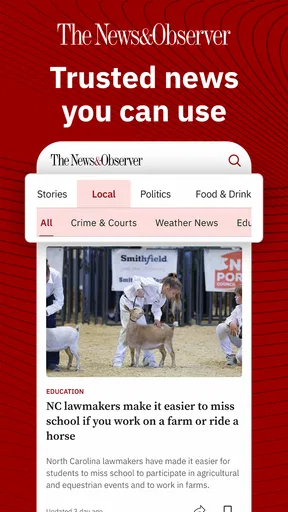
First things first, the app’s interface is sleek and user-friendly. Navigating through the various sections feels intuitive, and I must say, it’s like the developers really thought about the user journey. Everything is neatly organized, making it easy to find the news categories you're interested in. Whether it's politics, sports, or local events, the app has got you covered.
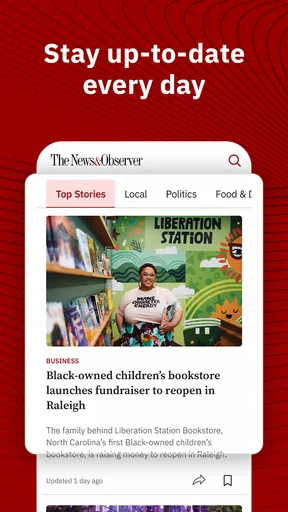
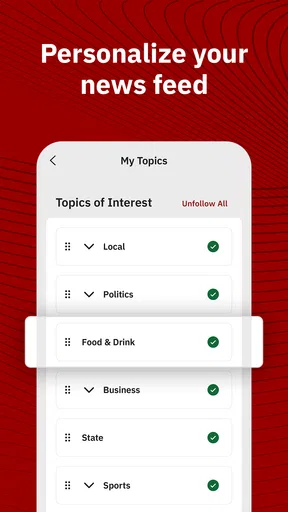
The homepage provides a nice overview of top stories, and you can easily scroll through to catch up on the latest headlines. I appreciated the fact that you can customize your feed according to your preferences. It's like having your own personalized newspaper at your fingertips.
Content Quality
Ah, the heart of any news app – the content. Raleigh News & Observer (N&O) doesn’t disappoint. The articles are well-written and provide in-depth coverage of the topics at hand. It’s evident that the journalists are seasoned professionals who know their stuff. The app offers both quick reads and long-form articles, catering to different reading preferences.
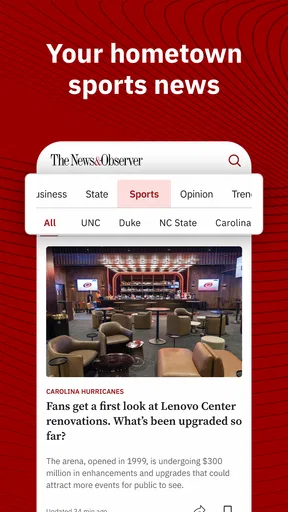
Another thing I found impressive is the app’s commitment to local news. It’s refreshing to see a news app that emphasizes local stories, giving you a real sense of what's happening in the Raleigh area. Plus, if you’re a sports fan, the coverage of local teams is something you’ll really appreciate.
Features That Stand Out
One of the features I absolutely love is the push notifications. Now, I know what you're thinking – "Do I really need more notifications?" But trust me, these are worth it. The app sends timely updates on breaking news, ensuring you’re always in the loop without being overwhelmed.
Another nifty feature is the offline reading option. You can download articles and read them later when you're offline, which is fantastic for those moments when you’re on the go and without a stable internet connection. It’s like having a newspaper in your pocket, ready to read whenever you want.
User Experience
So, how does the app perform? In my experience, it’s smooth sailing. I didn’t encounter any glitches or crashes, which is always a plus. The pages load quickly, and the transition between different sections is seamless. It’s clear that the developers have put a lot of effort into ensuring a positive user experience.
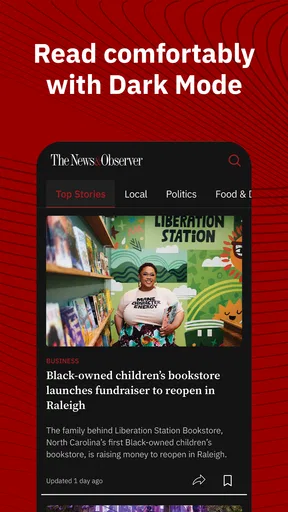
Also, the app's layout is visually appealing. The fonts are easy on the eyes, and the images are of high quality, enhancing the overall reading experience. You really get a sense of the professionalism and thought that went into the app's design.
Accessibility and Availability
The app is available on both Android and iOS, making it accessible to a wide range of users. Installation is a breeze, and setting up your preferences is straightforward. No complicated steps or unnecessary hoops to jump through.
For those concerned about accessibility, the app offers options like text resizing and screen reader compatibility, which shows a commendable effort to cater to all users. It’s great to see an app that considers the diverse needs of its audience.
Final Thoughts
All in all, the Raleigh News & Observer (N&O) app is a solid choice for anyone looking to stay updated with news, especially if you have a keen interest in local happenings. It combines user-friendly features with high-quality content, making it a must-have for news enthusiasts.
If you’re in the market for a reliable news app that offers a blend of local and national stories, give this one a whirl. It’s like having a trusty news companion by your side, ready to deliver the latest scoops at the touch of a button. So go ahead, download it, and see for yourself why it’s worth a spot on your home screen.
Pros
- User-friendly interface for easy navigation.
- Real-time updates on local news.
- Personalized news feed options.
- High-quality journalism and reporting.
- Offline reading mode available.
Cons
- Requires subscription for full access.
- Occasional in-app ads pop up.
- Limited multimedia content.
- Notifications can be overwhelming.
- No dark mode for night reading.
FAQs for Raleigh News & Observer | NC
What features does the Raleigh News & Observer app offer?
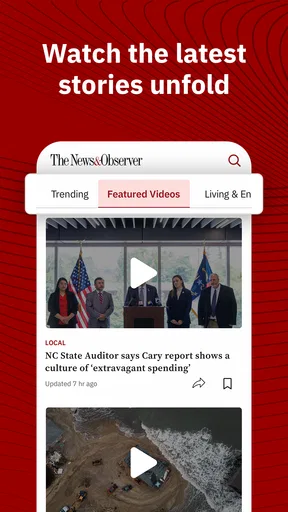
The Raleigh News & Observer app provides users with comprehensive news coverage, including local, national, and international news. It includes features such as breaking news alerts, personalized news feeds, and access to multimedia content like videos and photo galleries. The app also offers editorials, opinion pieces, and special reports to keep users informed.
Is the Raleigh News & Observer app free to use?
The app is free to download, but it may offer both free and premium content. While some articles and features are accessible at no cost, a subscription might be required for full access to all content, including exclusive stories and ad-free experiences. Check the app store listing for subscription details and pricing.
How can I customize my news feed in the app?
The Raleigh News & Observer app allows users to customize their news feed by selecting preferred topics and sections. You can choose from categories like sports, politics, business, and more. This customization ensures that you receive updates and articles that are most relevant to your interests, enhancing your reading experience.
Are there any accessibility features available in the app?
Yes, the Raleigh News & Observer app includes several accessibility features to support diverse user needs. These may include adjustable text sizes, voice-over support, and high-contrast modes. Such features ensure that the app is usable for individuals with visual impairments and other accessibility requirements.
How often is the app content updated?
The content on the Raleigh News & Observer app is updated frequently to provide users with the latest information. Breaking news alerts are sent out as soon as stories develop, and the news feed is regularly refreshed throughout the day. This ensures that users have access to the most current news and updates.


